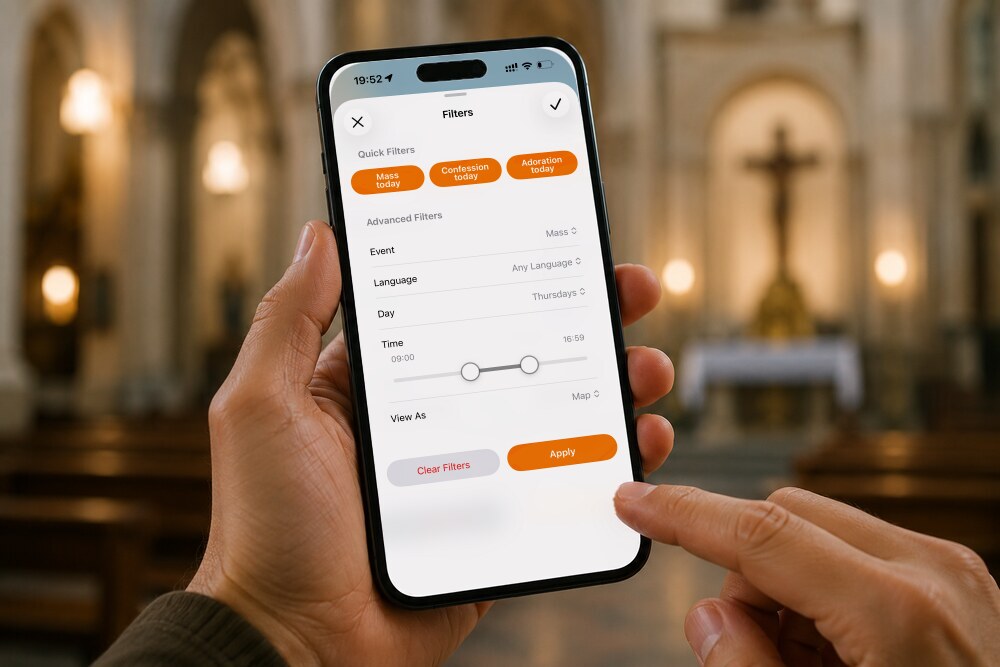
Looking for a Catholic Mass app that shows you the nearest church in seconds, along with its Confession and Adoration schedules and directions to get there? The Catholic Mass Times app is the most complete free app in the world for finding Mass times near you today, tomorrow, or on Sunday, in any city on the planet and in 40 languages.
This guide walks through every feature: the main map, each church’s listing, the advanced filters, your favorites, online Masses, and the tools that keep the information current. Whether you’ve just downloaded the app or want to get more out of it, this is your reference.
If you don’t have it yet, you can download the Catholic Mass Times app free for iOS and Android. With more than 110,000 churches across 200 countries, it’s the largest and most up-to-date database in the world for finding Mass times near you. Download it here.
1. How do I find Mass times near me?
When you open the app, a map appears automatically with the Catholic churches closest to you. If you allow location access, the map centers on wherever you happen to be. To look somewhere else, type a city, a neighborhood, or an address into the search bar at the top and the map will move there.
Each church appears on the map as a small church-shaped pin. This view is especially useful for finding Sunday Mass near you when you’re away from home, traveling, or simply exploring another part of your own city.
Four fixed tabs along the bottom of the screen give you the rest of the app: Nearby (the main map), Favorites, Online, and Settings.


2. What does each church listing in the Catholic Mass Times app show?
Tap any church pin on the map and a preview opens with that parish’s essentials, usually its Mass Times. Tap the orange arrow and the listing expands into the full record: exact location, phone number, email address, website or Facebook page, Mass Times, Confessions, Eucharistic Adoration hours, and additional information such as parish office hours.
You’ll also see the date the information was last confirmed and, at the bottom of the listing, two buttons: Confirm Data is Current and Report an Error or Add Info. Those two buttons are what allow the community of users to keep the app accurate.


How do I get directions to the church?
Each church listing has three icons for getting there:
- The walking figure opens Apple Maps or Google Maps with walking directions to the church.
- The standing figure with a raised arm lets you request a ride through Uber, Lyft, or Cabify, with the church’s address already entered as the destination.
- The car opens driving directions in Apple Maps, Google Maps, or Waze.
You can set which app each option uses under Preferred Apps for Directions in Settings, where the three sections are Driving Directions, Walking Directions, and Ride Services. For rides you can also leave it on Ask Each Time.
These three shortcuts earn their keep when you’re traveling in a city you don’t know, or in a country whose language you don’t speak.

- You may be interested: How Do I Request an Uber or Lyft to Get to Mass From the App?
How do I save or share a church?
Next to the parish name there’s a heart icon. Tap it and the church is saved to your favorites for quick reference later, even without an internet connection. In the upper right corner there’s a share icon, which lets you send that church’s information to a contact through WhatsApp or any other app, or post it on your social media.

- You may also like: How Do I Share a Church’s Mass Times With a Friend?
3. How do I see all nearby Mass times in a list?
In the upper left corner of the main screen there’s a list icon. Tap it and the app opens Church search, showing the Mass times for every church near you, sorted by distance. Tap the orange arrow on any result and the listing expands with the same full information you’d see from the map. There’s also a search field at the top, Type here a text to search…, for finding a specific parish by name. This view is ideal for comparing the Mass times at several nearby parishes at a glance before deciding where to go.
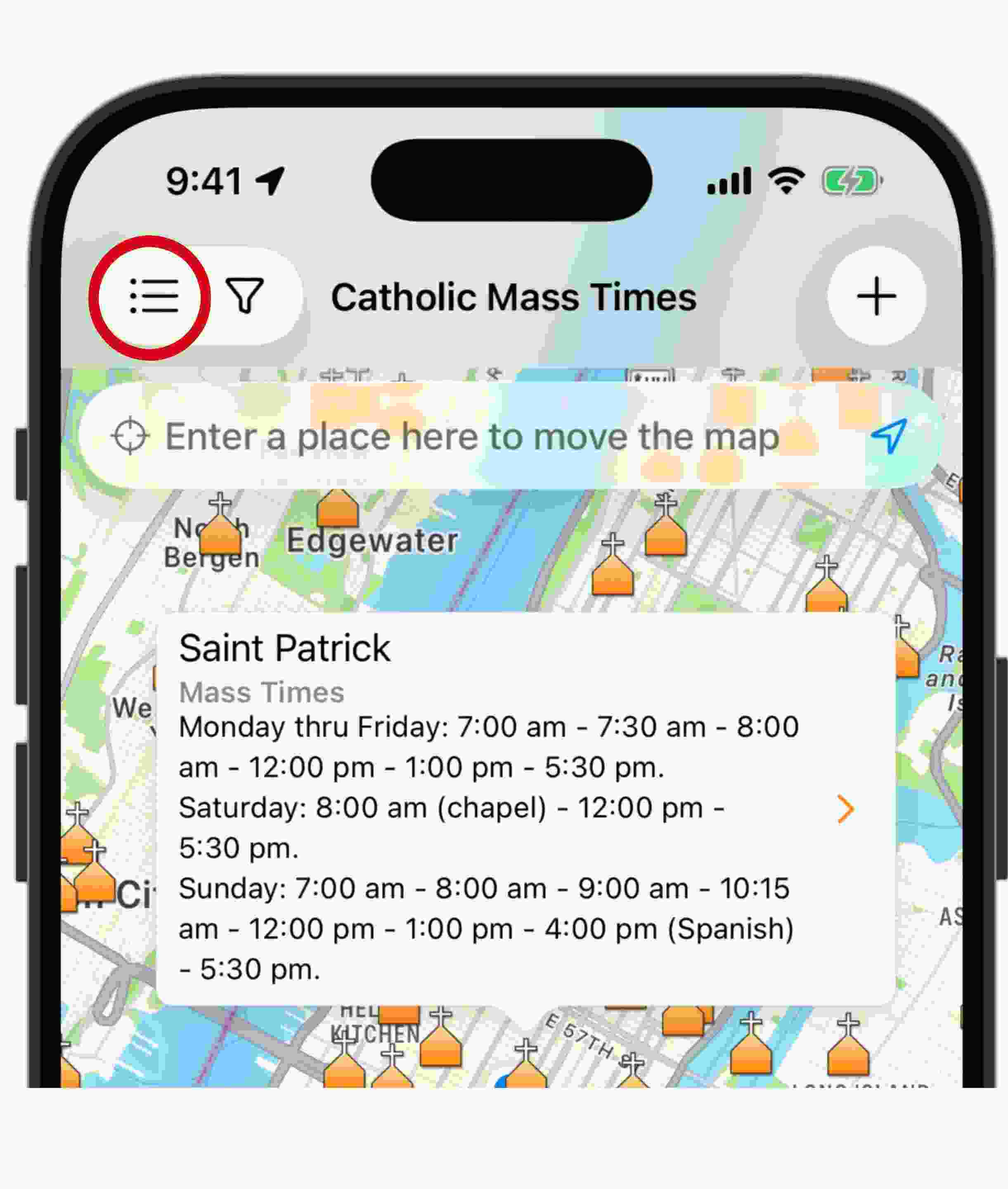

4. How do I find Mass, Confession, or Adoration times today?
Next to the list icon is a funnel-shaped icon that opens the Filters screen,
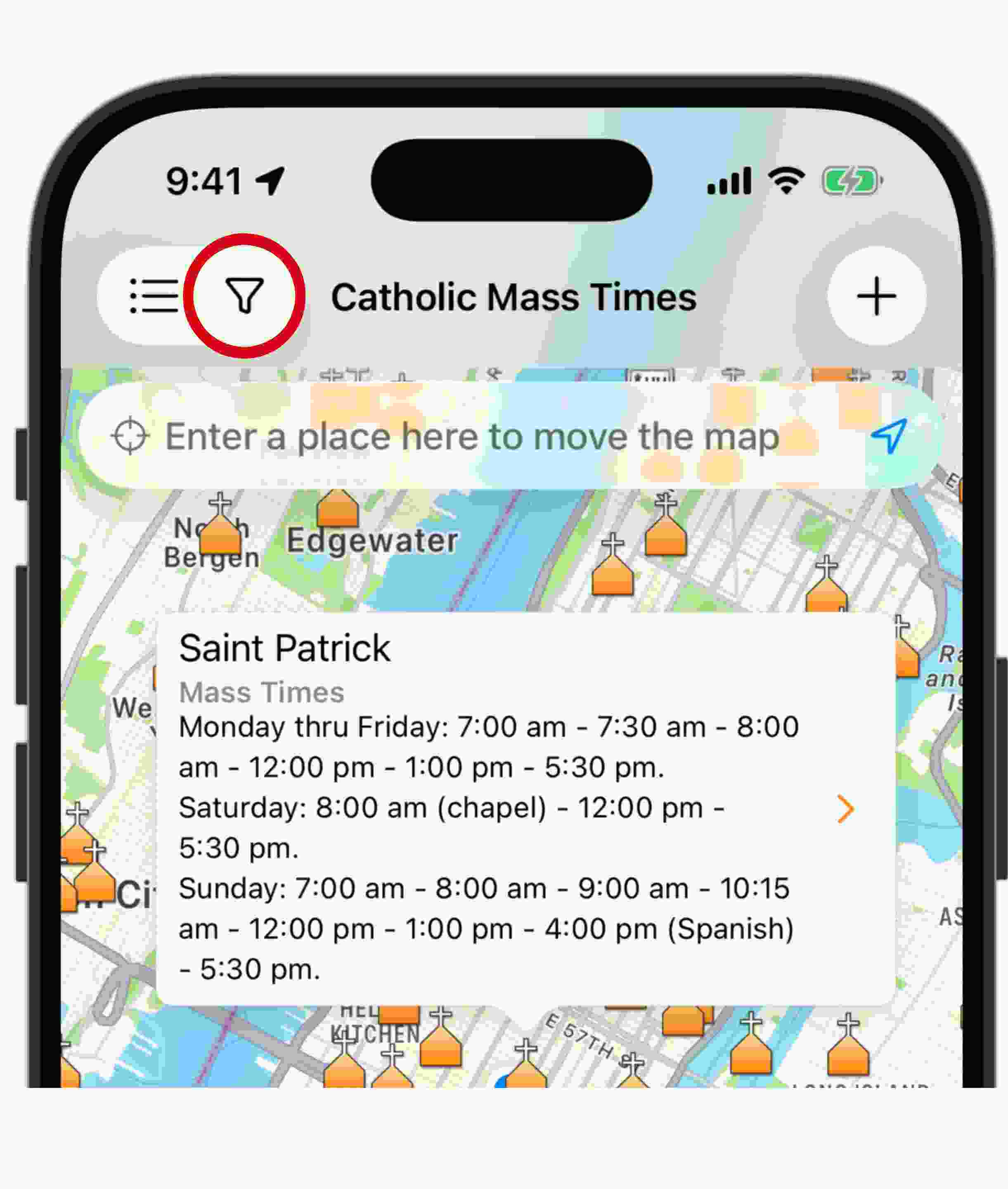
Here you will find two sections: quick filters and advanced filters.
- Quick Filters are three instant-access buttons: Mass today, Confession today, and Adoration today. One tap and the app shows only the churches where you can still take part in that sacrament today.
- Advanced Filters let you narrow the search with real precision. You can choose the Event (Mass, Confession, or Adoration), the Language (English, Spanish, Portuguese, French, Dutch, Italian, German, and Latin), the Day (any day, weekdays, Sundays, Holy Days of Obligation, or civil holidays), a specific time range, and how you’d like to see the results with View As, either on a map or as a list.
The Language filter deserves a mention of its own. If you’d rather assist at Mass in Spanish, or in any of the other languages listed, you can find it wherever you are. And if you’re looking for the Traditional Latin Mass, the Latin option narrows the search to exactly that.
This is the tool to reach for if you work unusual hours, if you need Mass in a particular language while traveling, or if you simply want to plan your week without missing the sacraments. You can combine every filter at once, or clear them all with Clear Filters and go back to the general search. Apply confirms your choices.

- You may also like: How Do I Find Mass Times at Catholic Churches Near Me?
5. How do I add a church that isn’t in the app yet?
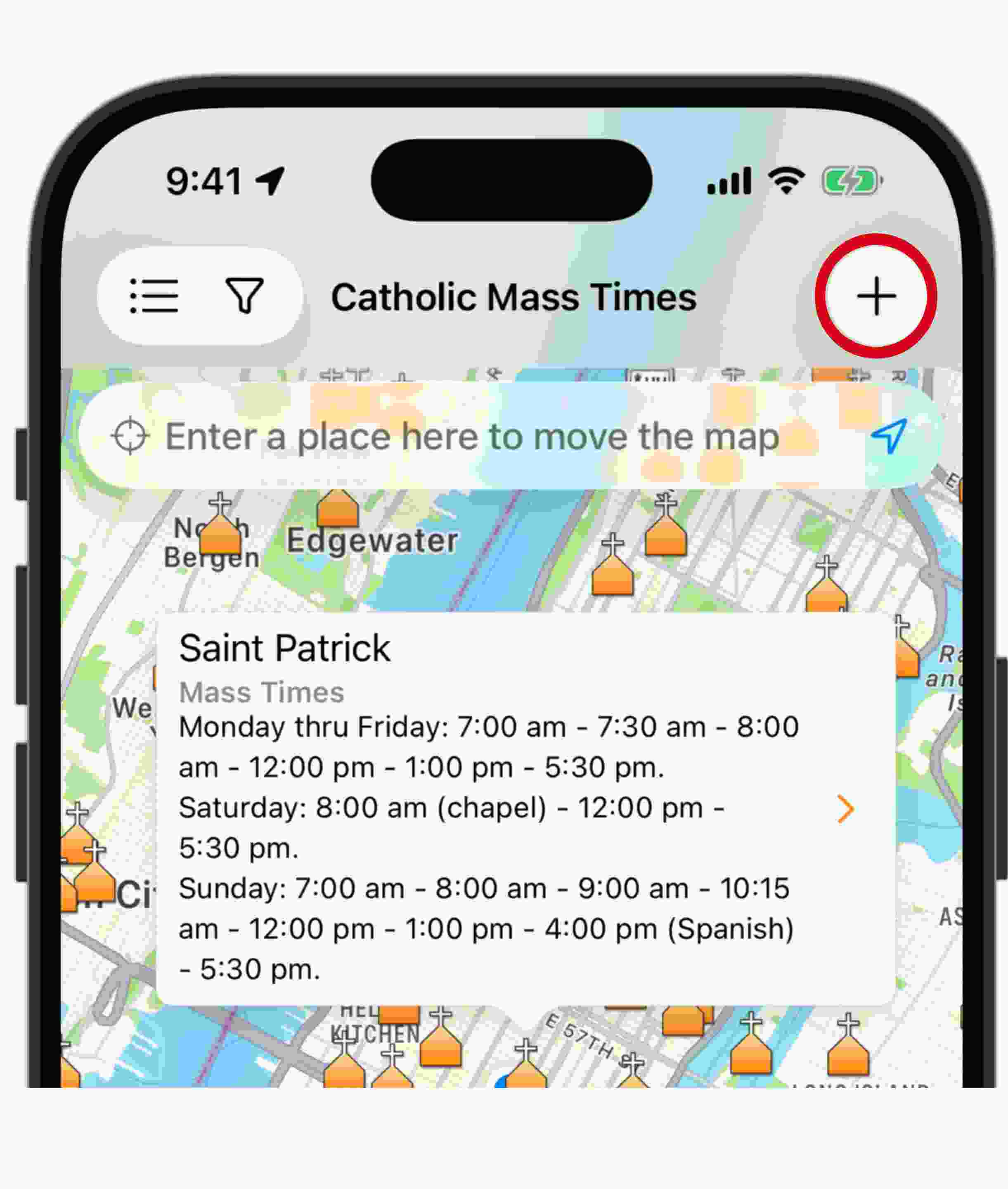
The plus icon in the upper right corner lets you request that a Catholic church be added to the app. Only Catholic churches in communion with the Pope are accepted.
To submit the request, mark the exact location on the map and fill in the basic information:
- church name,
- street address,
- city or town,
- state or province,
- country,
- phone number,
- email address,
- website,
- Facebook,
- Instagram,
- WhatsApp and
- priest’s name.
You can also upload a photo of the current schedule or enter the times by hand:
- Mass, for Monday through Friday, Saturday, and Sunday
- Confession, noting the day and how many minutes before each Mass
- Adoration, with the day and the hours
At the end of the form you can add anything else worth knowing, such as parish office hours or parish group meetings, along with your name and email address.
6. How do I save my favorite parishes in the Catholic Mass Times app?
The heart icon at the bottom of the screen opens Favorites. To use it, you’ll first need to sign in with your first name and email address. A code arrives in your inbox, and entering it in the app completes the process. Tap Create free account to start, or Sign in if you already have one.


Once you’re in, you can save churches to three different lists:
- My Parishes, for your home parish and the churches you visit often
- Want to Visit, for planning future pilgrimages and visits and
- Been There, for keeping a record of the churches that are part of your own journey of faith, whether that’s where you were baptized, where you were married, or a church you found while traveling

- You may also like: Can I Save My Favorite Catholic Churches in the App?
7. How do I watch Mass online today?
The video icon along the bottom of the screen opens Online, where you’ll find Today’s Online Masses: a list of broadcasts from cathedrals, shrines, and parishes around the world, with the start time converted automatically to your own time zone. Type a language or a place into the search field, Type here a language or place…, to narrow the results.
This is especially useful when illness, distance, or any other circumstance keeps you from attending Mass in person, since it lets you join the celebration and make a spiritual communion. No broadcast replaces taking part in the liturgy in person, but it’s a valuable resource for staying connected when circumstances make that impossible.


8. What can I do in Settings?
The three-dot icon in the bottom right corner opens Settings. From there you can read the frequently asked questions about how the app works, send in questions or suggestions, rate the app on the App Store or Google Play, follow Catholic Mass Times on Facebook, print a flyer to promote the app on your parish noticeboard, share it with a friend, and make a donation to support the project.
This section also holds your language preferences and your account information, where you can sign out or delete your account if you wish.


How can I help keep Mass times up to date?
Catholic Mass Times depends on its community of users to stay accurate. At the bottom of every church listing there are two buttons: Confirm Data is Current, which tells us the published information still holds, and Report an Error or Add Info, which opens the Suggest an Edit sheet. There you can describe what should be updated, attach a photo of the current schedule, or correct the church’s position with Locate in map. Every report is reviewed by the Catholic Mass Times team before it goes live in the app.


Thousands of Catholics around the world already contribute this way, which is what keeps the app the most complete and reliable place to look when you need Mass times near you, today, tomorrow, or next Sunday.
You can use the Catholic Mass Times app to find the nearest Catholic church with Mass, Confession, and Adoration schedules. It will surely help you! Download it now.


How do I find Mass times near me?
Open the app and allow location access. The main map will automatically show the Catholic churches closest to you, and tapping any pin brings up its Mass times.
Does the app work without an internet connection?
Yes. Catholic Mass Times has an offline mode that comes in handy when you’re traveling or in an area with no signal, and it also supports large and extra-large text sizes.
Can I search for Mass times today, tomorrow, or on Sunday?
Yes. The filters icon gives you the quick options Mass today, Confession today, and Adoration today, or you can pick a specific day in Advanced Filters, including Sundays, Holy Days of Obligation, and civil holidays.
Does the app have Mass times in Spanish and other languages?
Yes. You can filter Mass and Confession times by language, including Spanish, English, Portuguese, French, Dutch, Italian, German, and Latin.
How many churches are in the Catholic Mass Times database?
The app holds more than 138,000 Catholic churches across every country in the world, with information reviewed and updated constantly thanks to its community of users.
How do I add a church that doesn't appear in the app?
Tap the plus icon on the main screen, mark the location on the map, and fill in the parish’s basic details and schedules. Only Catholic churches in communion with the Pope are accepted.
Is the Catholic Mass Times app free?
Yes. The app is completely free and is sustained by voluntary donations from its community of users.